Find where users get stuck. Fix it first.

Direkta audits your product in your own Figma file, ranks every problem by what stops people, and fixes it. A Head of Design for teams that don't have one.

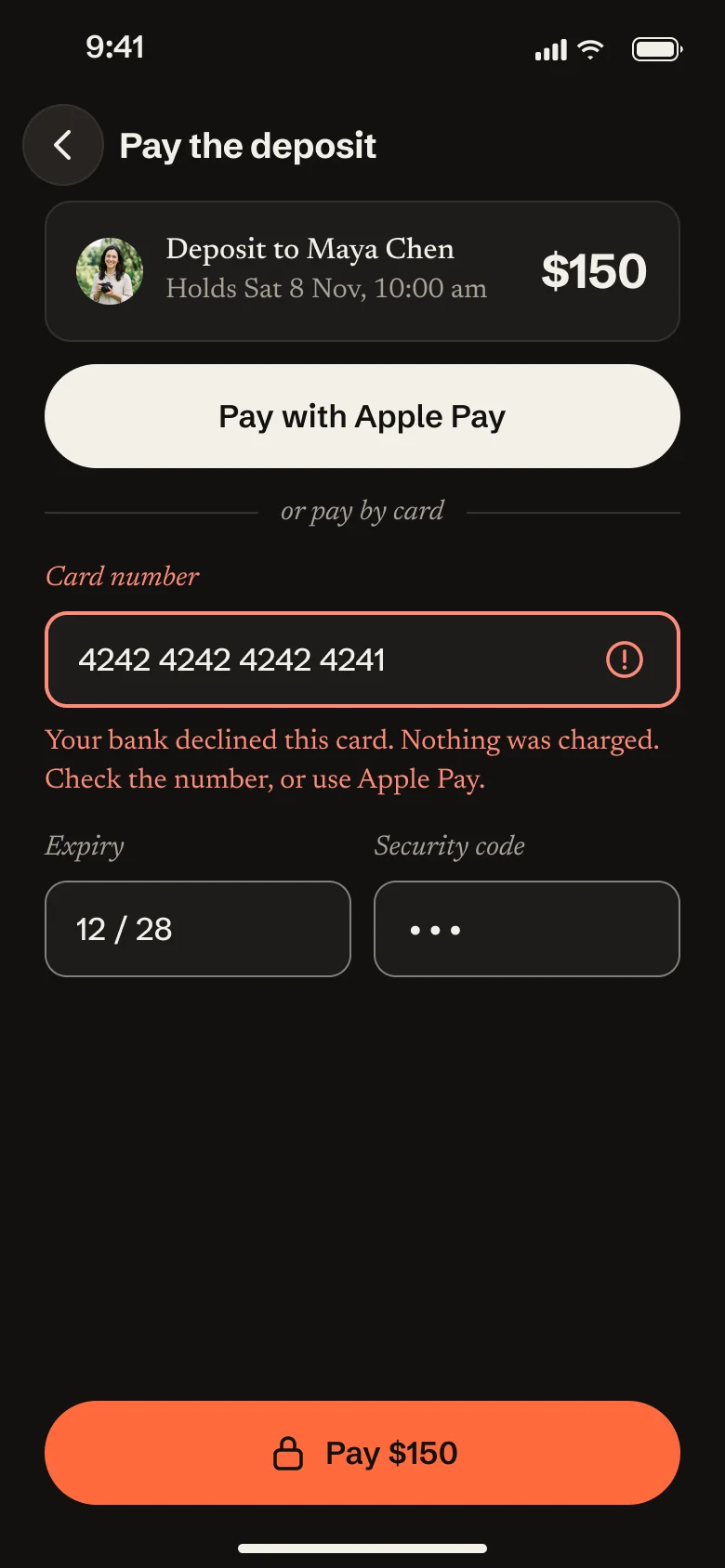
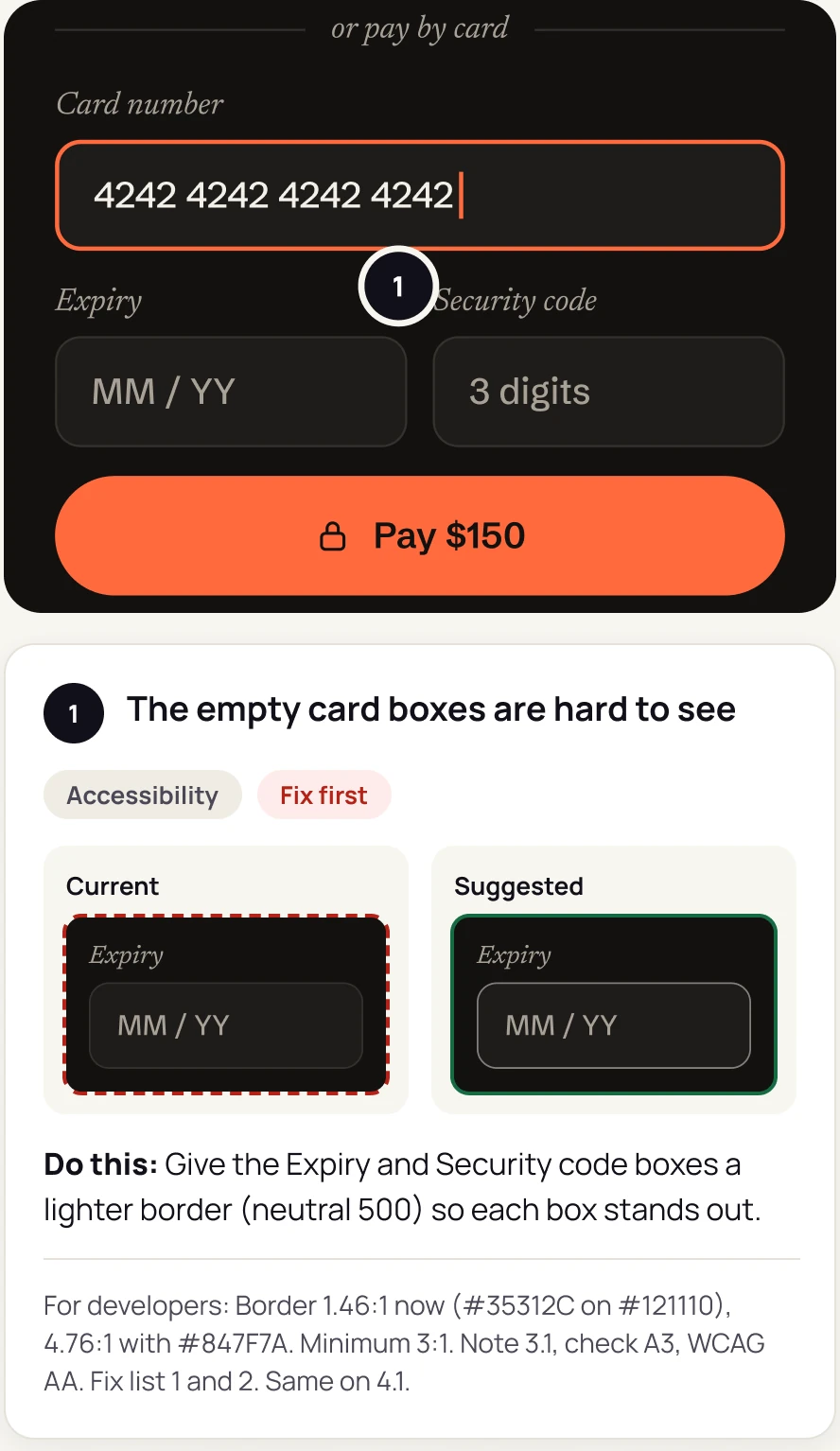
Someone types direkta audit with a Figma link. Direkta runs 952 checks across accessibility, UX and consistency, finds 11 problems with 3 to fix first, and pins a numbered note beside each screen. The worst: on the payment screen, the empty card boxes are hard to see.

Real output from Fieldnote, a made-up app we use for demonstrations. Also on every plan: concept, redesign, add a feature, copy, dark mode, other screen sizes, right to left and system upkeep.

Three reasons to bring Direkta in.

You don’t have a designer, or yours is stretched.

Direkta gives the whole team senior design judgement on every screen: what’s wrong, why, and the one thing to do about it.

You can see where users drop off, but not why.

Direkta audits the screens on that step, measures what a design file can show, and tells you which problem to fix first.

You ship fast, and design quality slips.

Direkta checks every screen before it ships and fixes problems at the root, in your own Figma file.

One real audit, start to finish.

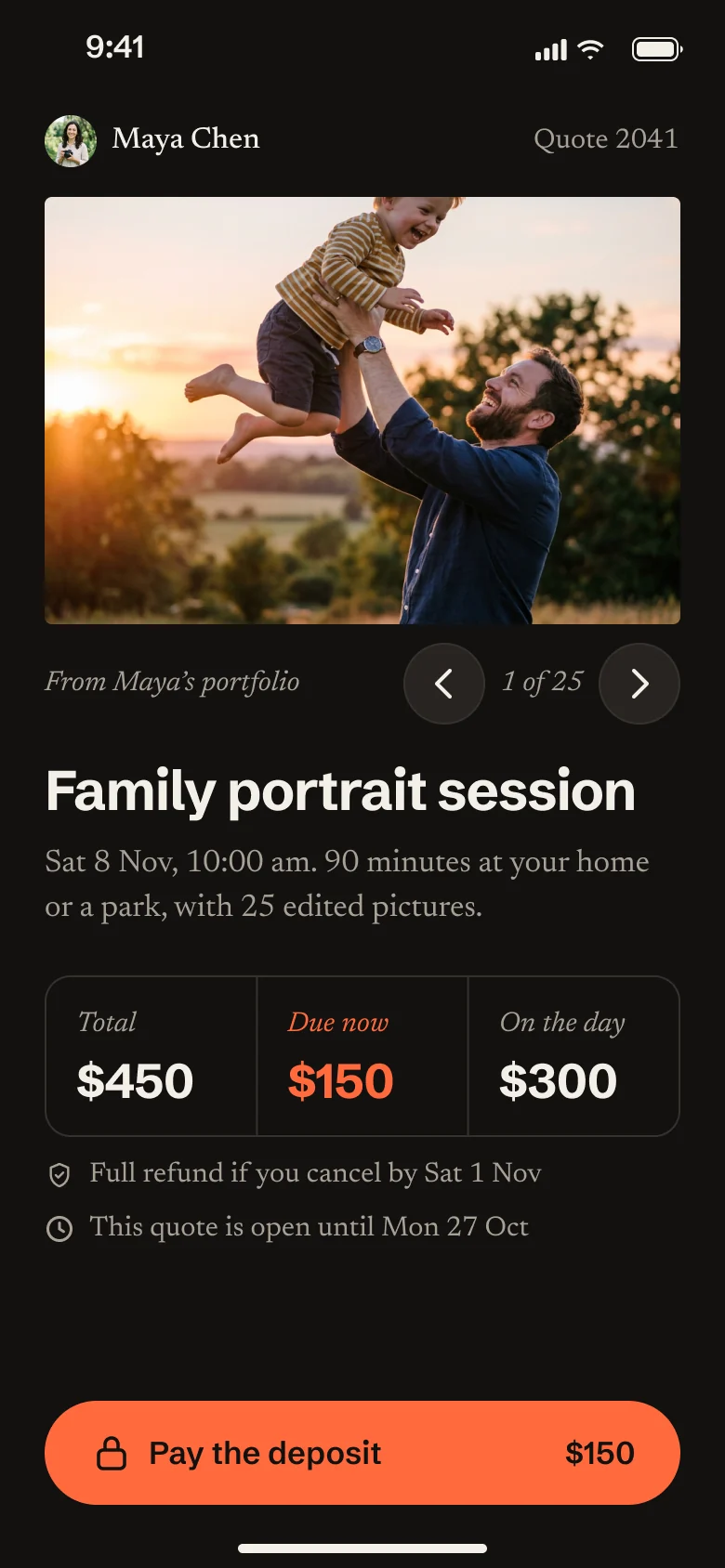
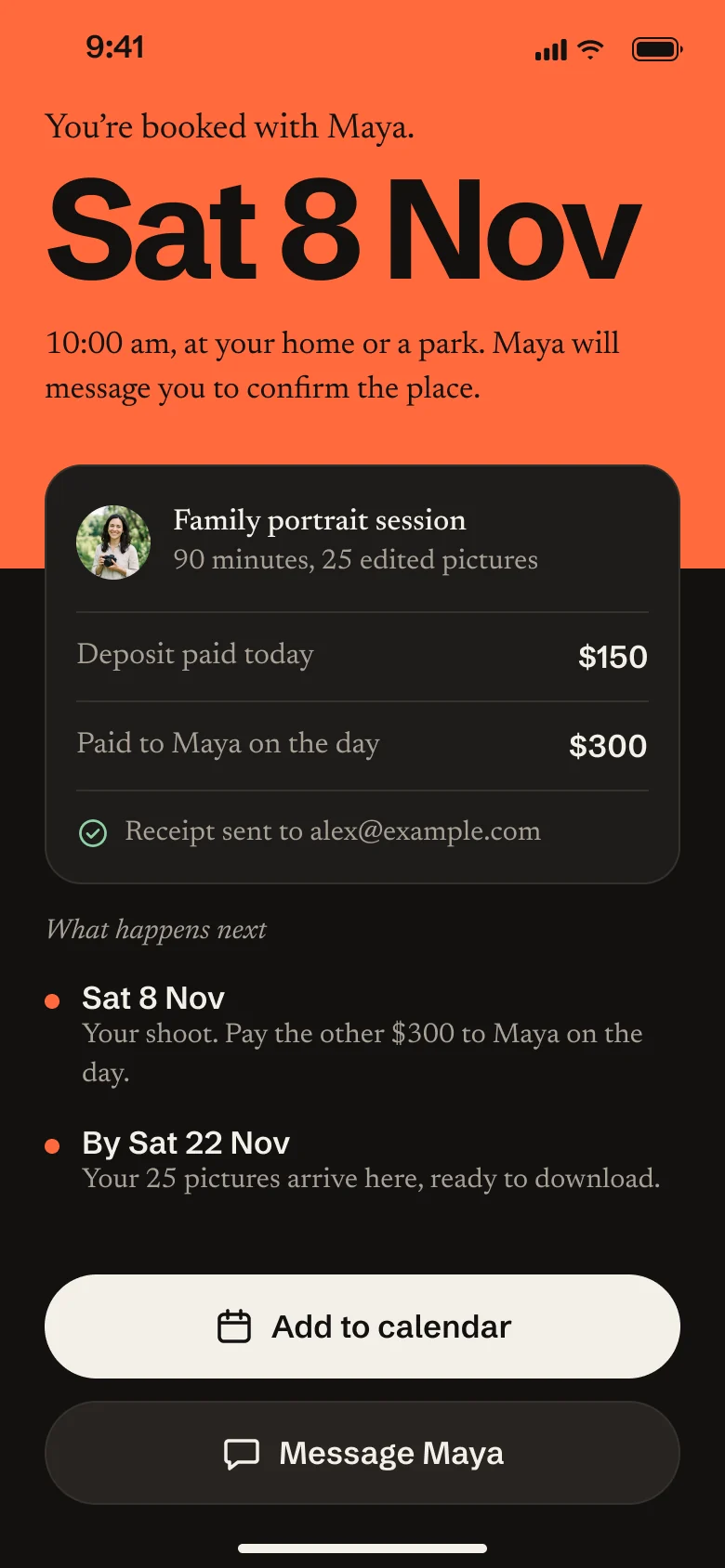
Fieldnote is a made-up app for freelance photographers: send a quote, take a deposit, deliver the pictures. Direkta audited its nine screens in one Figma file, then fixed them. Every picture here is the real output. Click any of them to see it larger.

952 checks. 11 problems. 3 to fix first.

Direkta read the nine screens and ran every check it could measure in the file, plus the ones a designer judges by eye. Each problem got a numbered note beside the screen: what is wrong, the one thing to do, and the exact values for developers.

  • 952checks: accessibility, UX and consistency
  • 11problems, ranked by what stops people
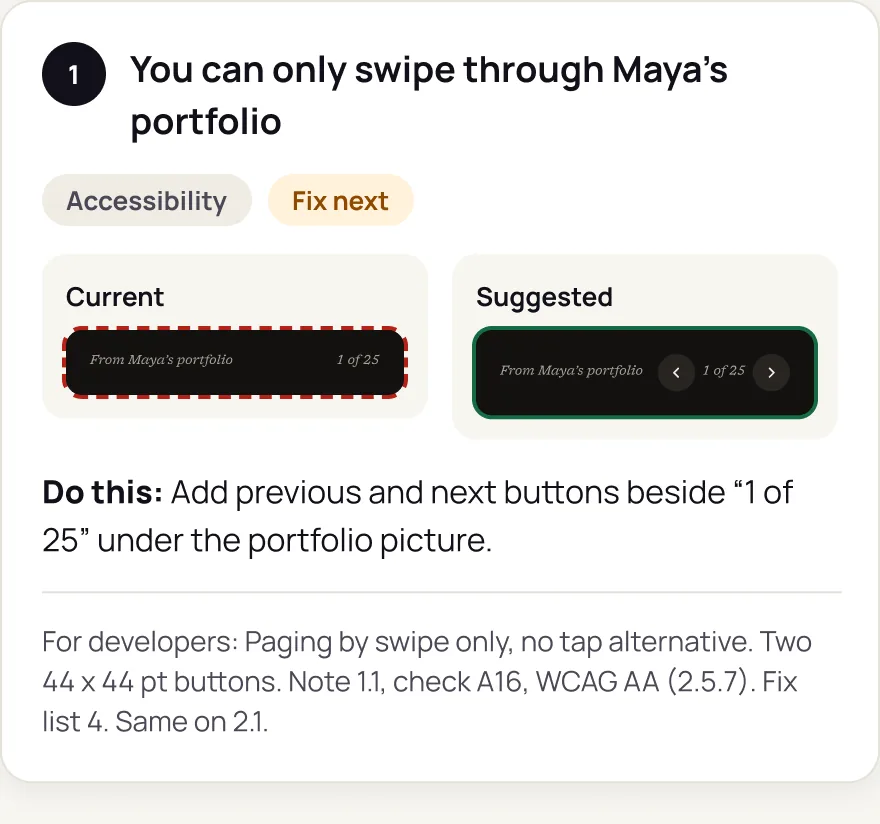
Audit page, one of the notes
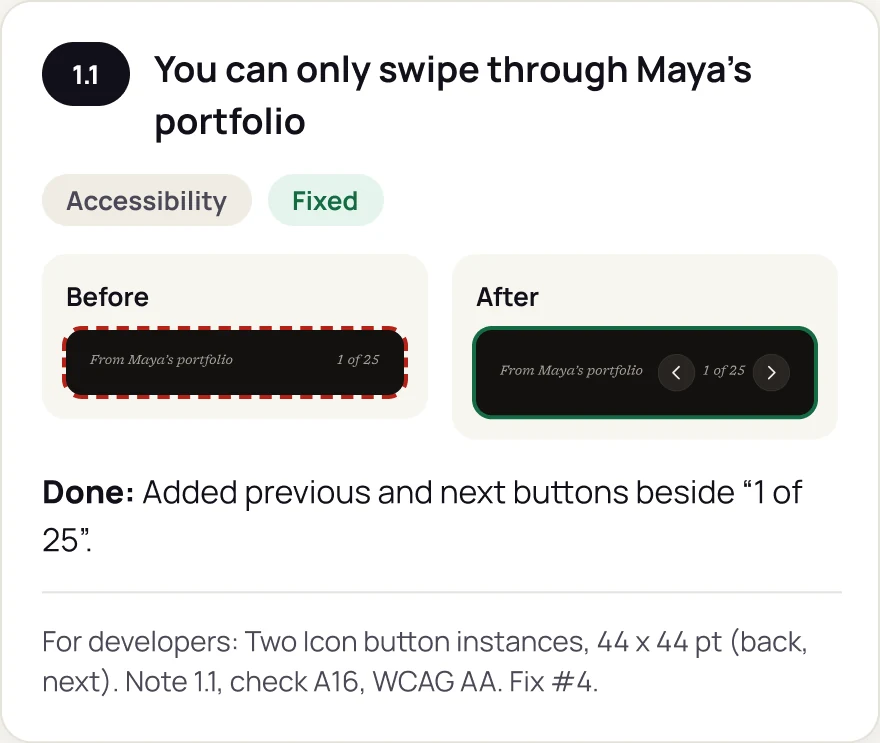
Audit note 1 'You can only swipe through Maya's portfolio', marked Accessibility and Fix next, with the current pager beside the suggested one that has previous and next buttons, a 'Do this' line and a line for developers.

The worst one was on the pay screen.

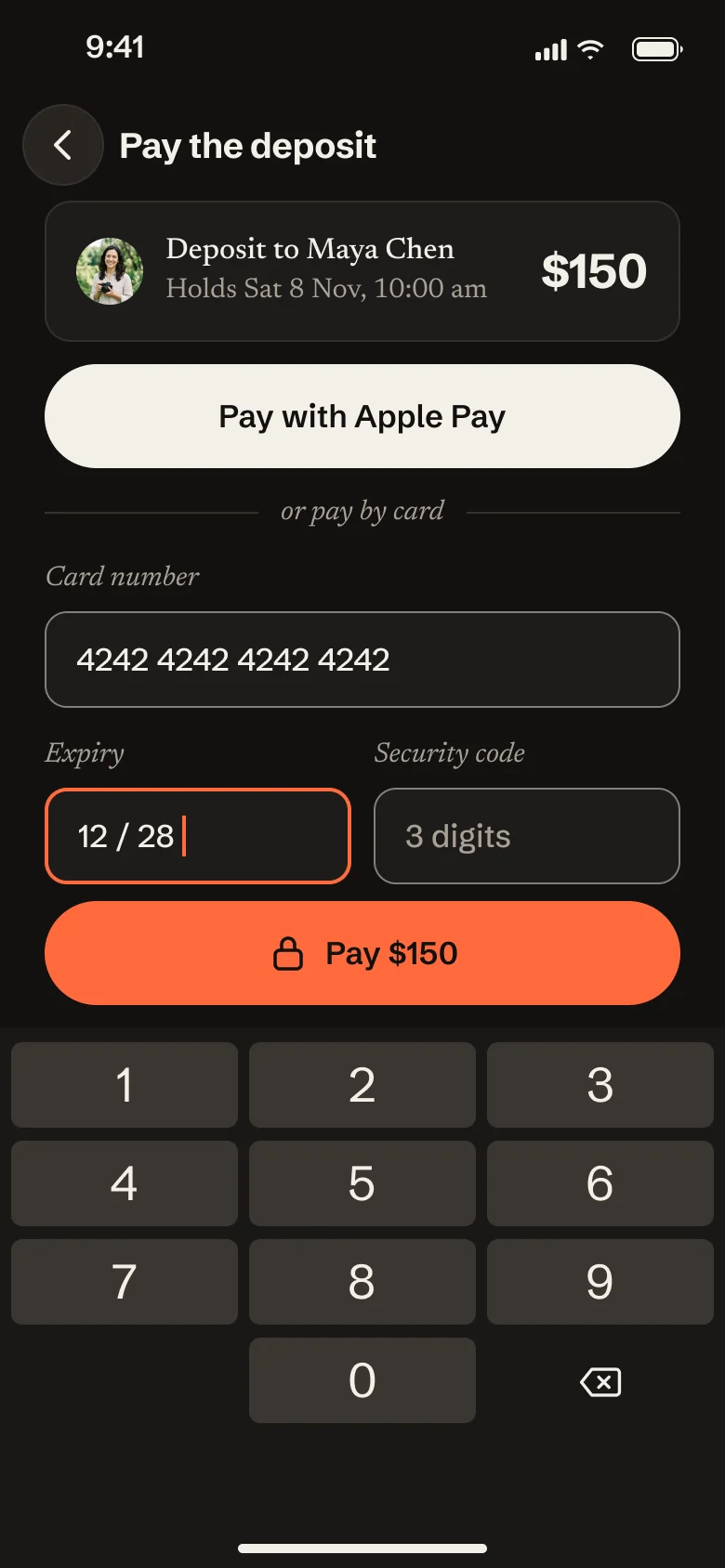
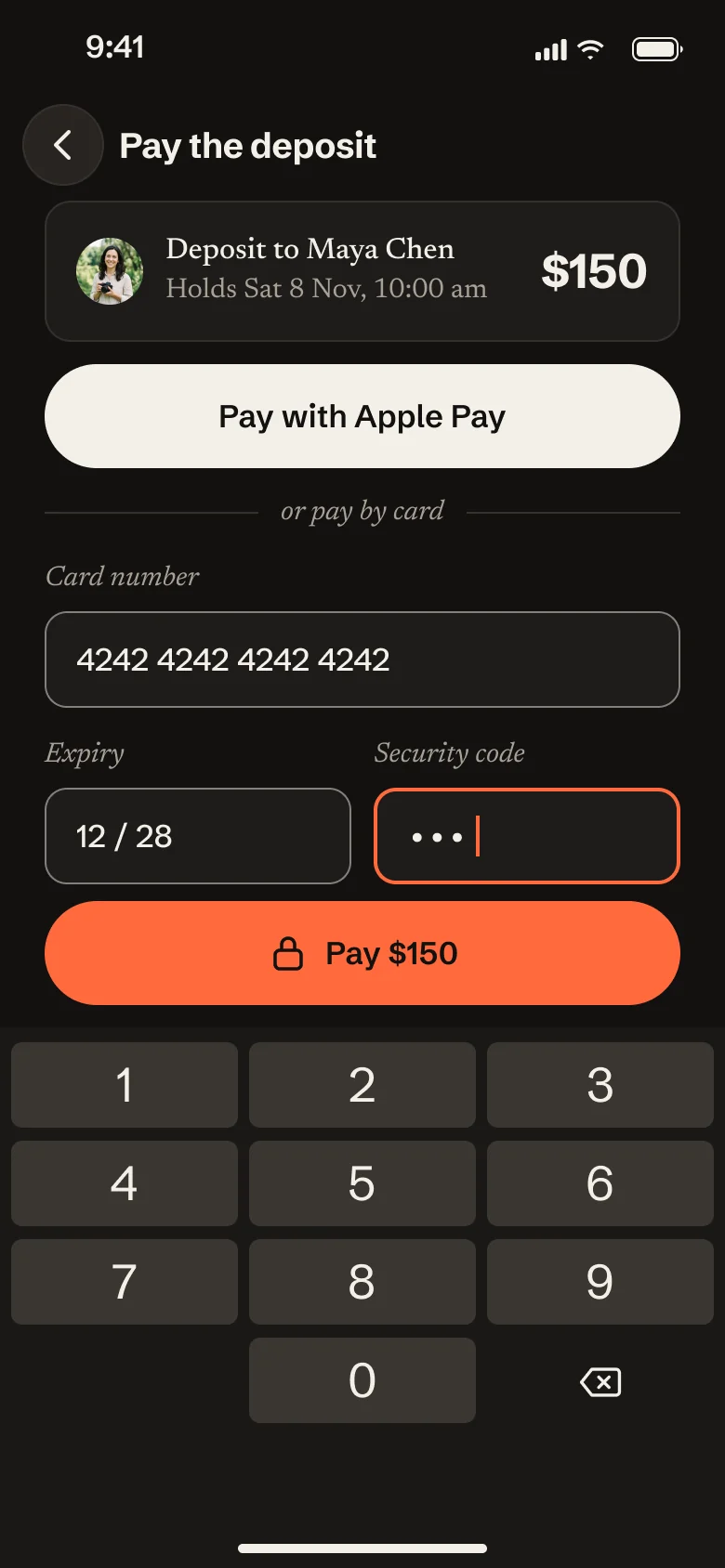
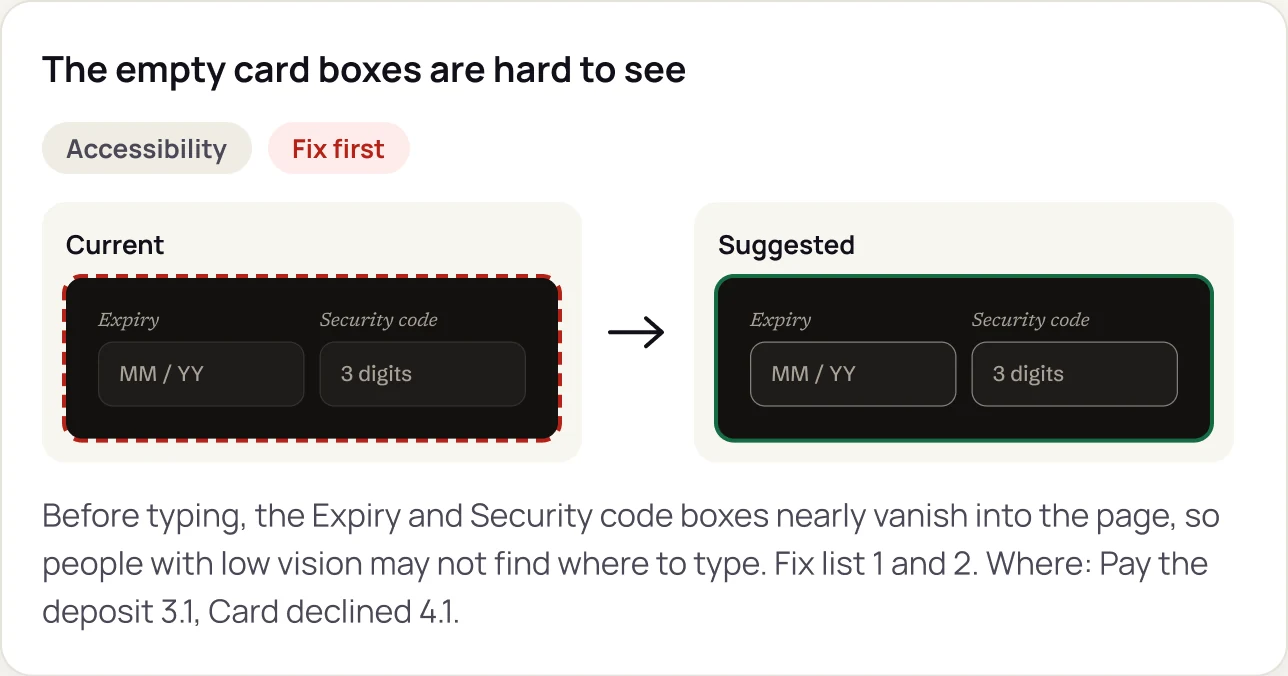
Before anyone typed, the Expiry and Security code boxes nearly vanished into the page, so people could not see where to type. That is the step where the money changes hands. The boxes measured 1.46:1 against the page; the suggested border measures 4.76:1.

  • 1.46:1the boxes as designed
  • 4.76:1the suggested border
The pay screen as audited, with its first note
The pay screen before the fix, with dot 1 between the Expiry and Security code boxes. Under it, note 1, 'The empty card boxes are hard to see', marked Accessibility and Fix first, with the current faint box beside the suggested one, a Do this line, and a line for developers: border 1.46:1 now, 4.76:1 with the suggested colour.

Fixed at the root, then checked again.

Two of the three worst problems shared one cause, so one new border colour fixed every empty field at once. The screens were rebuilt on copies, every check ran again, and each fix got a before and after. The one problem left open is listed, with the reason.

  • 10 of 11problems fixed
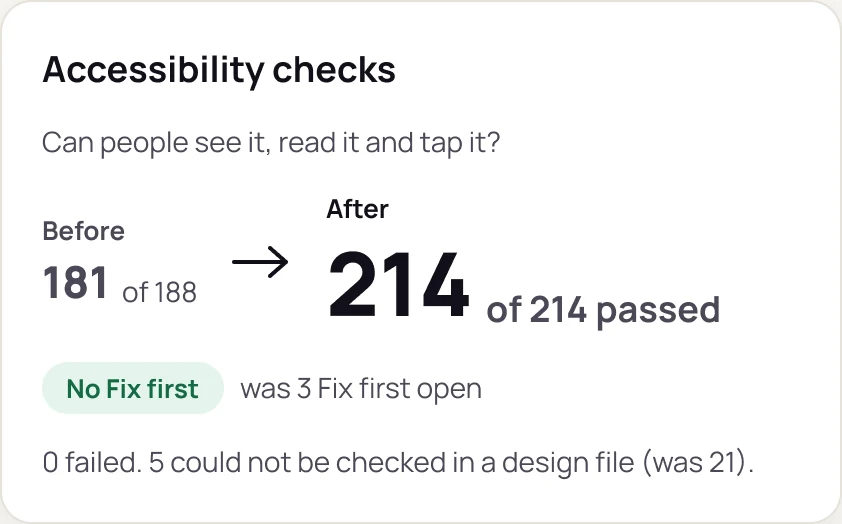
  • 214 of 214accessibility checks passed, from 181 of 188
Fixed page, counted the same way as before
Accessibility checks tile: before 181 of 188, after 214 of 214 passed. No Fix first, was 3 open. 0 failed, 5 could not be checked in a design file, was 21.

And it says what it could not check.

A design file cannot show everything. Every audit ends with the list of what still needs a real person or the built product, and who should check it. No count is padded to look good.

  • 3things for a person to check
Audit page, the last section

What a design file cannot show

  • Whether buttons and fields show focus.Who checks it: a developer, tabbing through the built screens with a keyboard.
  • How the screens sound with VoiceOver, and the reading order.Who checks it: a person who uses a screen reader.
  • Real wait times for paying and loading 25 pictures on a slow phone.Who checks it: a test on a real device and network.

What makes it different.

Plenty of tools make screens. Direkta works in the Figma file you already have, and does what a Head of Design does: it asks before it guesses, explains every decision, and remembers what you decided.

It asks before it guesses.

When a choice is yours to make, about money, rules or what the product does, it stops and asks. Small, reversible calls it makes itself and tells you.

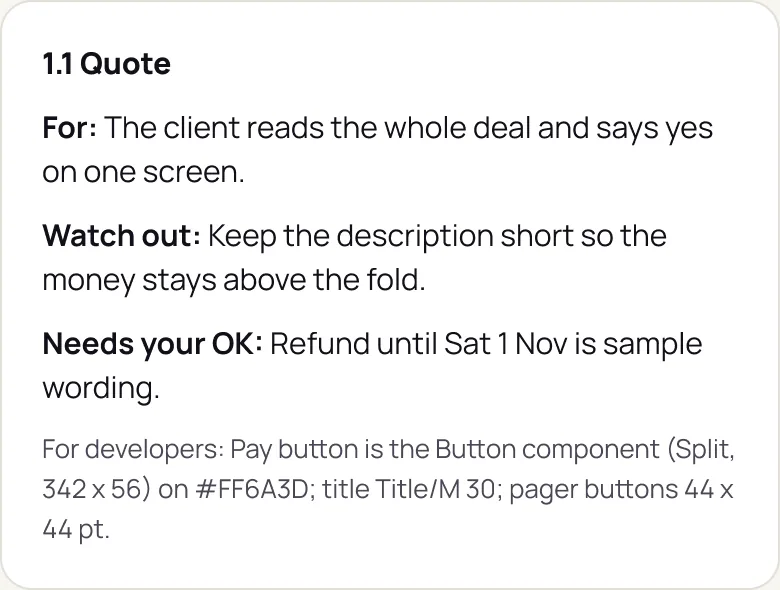
The note under the quote screen: who it is for, what to watch out for, 'Needs your OK: refund until Sat 1 Nov is sample wording', and a line for developers.
The note under the quote screen, with what needs your OK

It explains every decision.

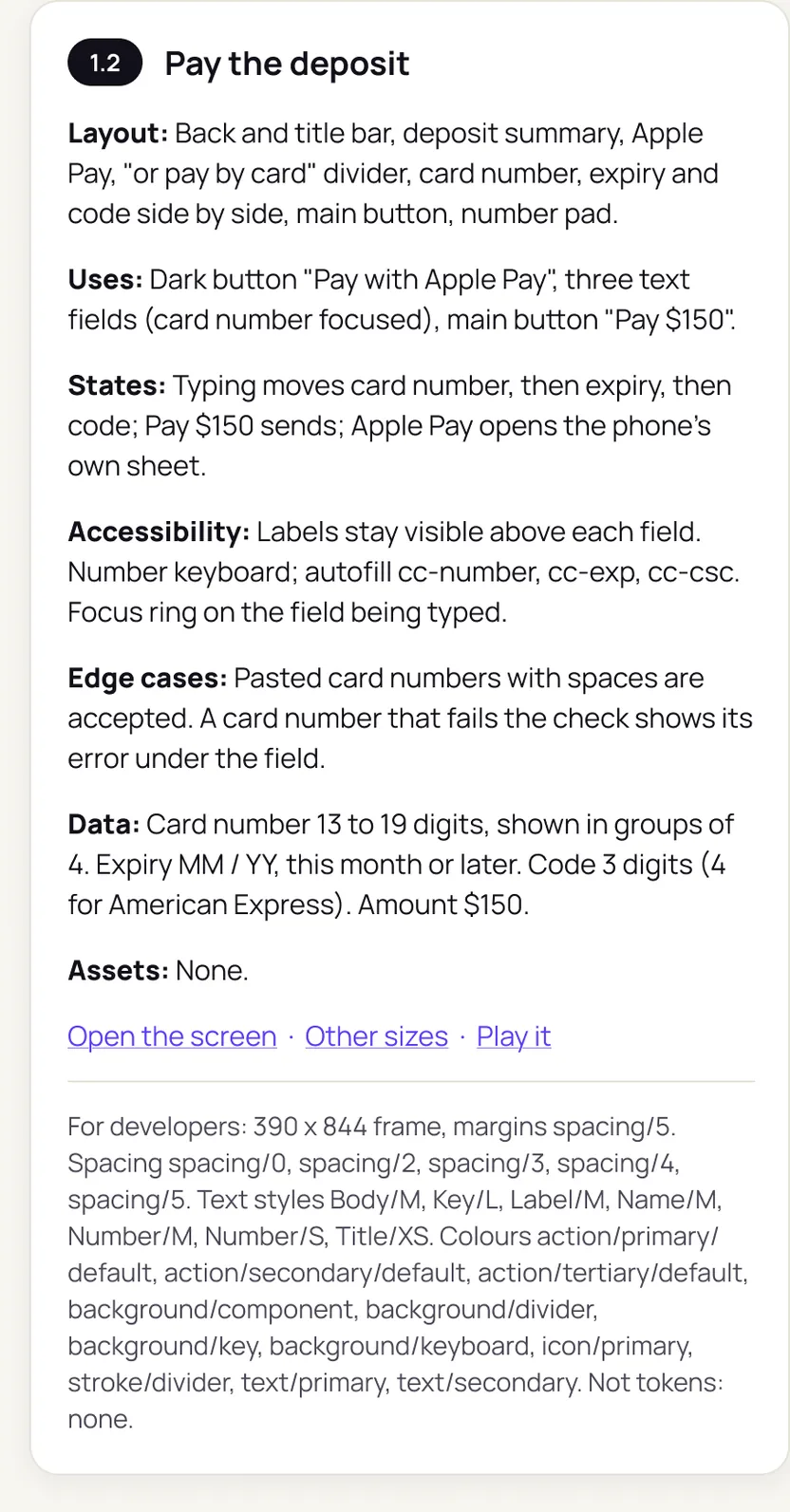
Every screen comes with a short note: what it is for, what to watch out for, and the exact values for developers. Every problem it finds gets a card with the current and the suggested design.

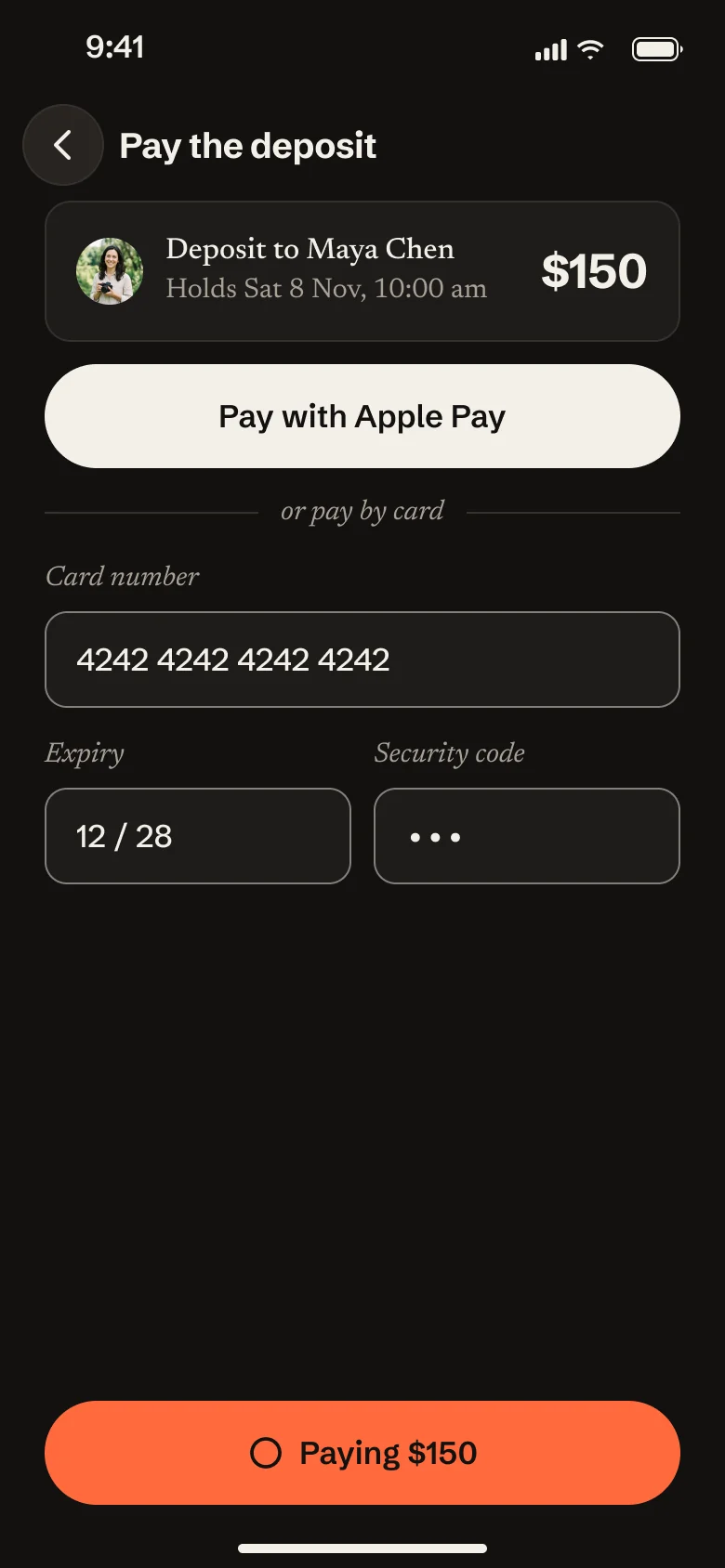
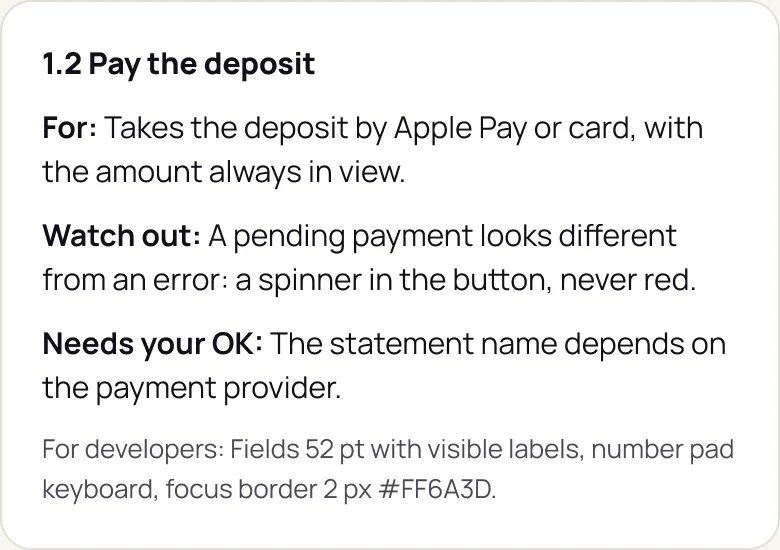
The note under the payment screen: for, takes the deposit by Apple Pay or card with the amount always in view; watch out, a pending payment looks different from an error; needs your OK, the statement name depends on the payment provider; and a line for developers.
The note under the payment screen

It remembers what you decided.

Every decision is logged with what was rejected, who owns it and what would reopen it. The log lives in your file, so the next job starts where the last one ended.

Decision log

  • Look: Darkroom, warm black, real photos, safelight orangeRejected: Studio journal, KeepsakeSettled
  • Main measure: quotes paid within 48 hours, target 60%Rejected: sign-ups, galleries deliveredNeeds your OK. Reopens after the first 10 real quotes
  • Next step: 10 real quotes by link before more screensRejected: going straight to a full buildProposed
Three rows from the decision log on the plan board

The rest of the project.

Before the audit, Direkta planned and designed Fieldnote from a one-line idea. After the fix, it added a light mode, other sizes, a prototype and a handoff. Every picture is the real output: click one to see it larger.

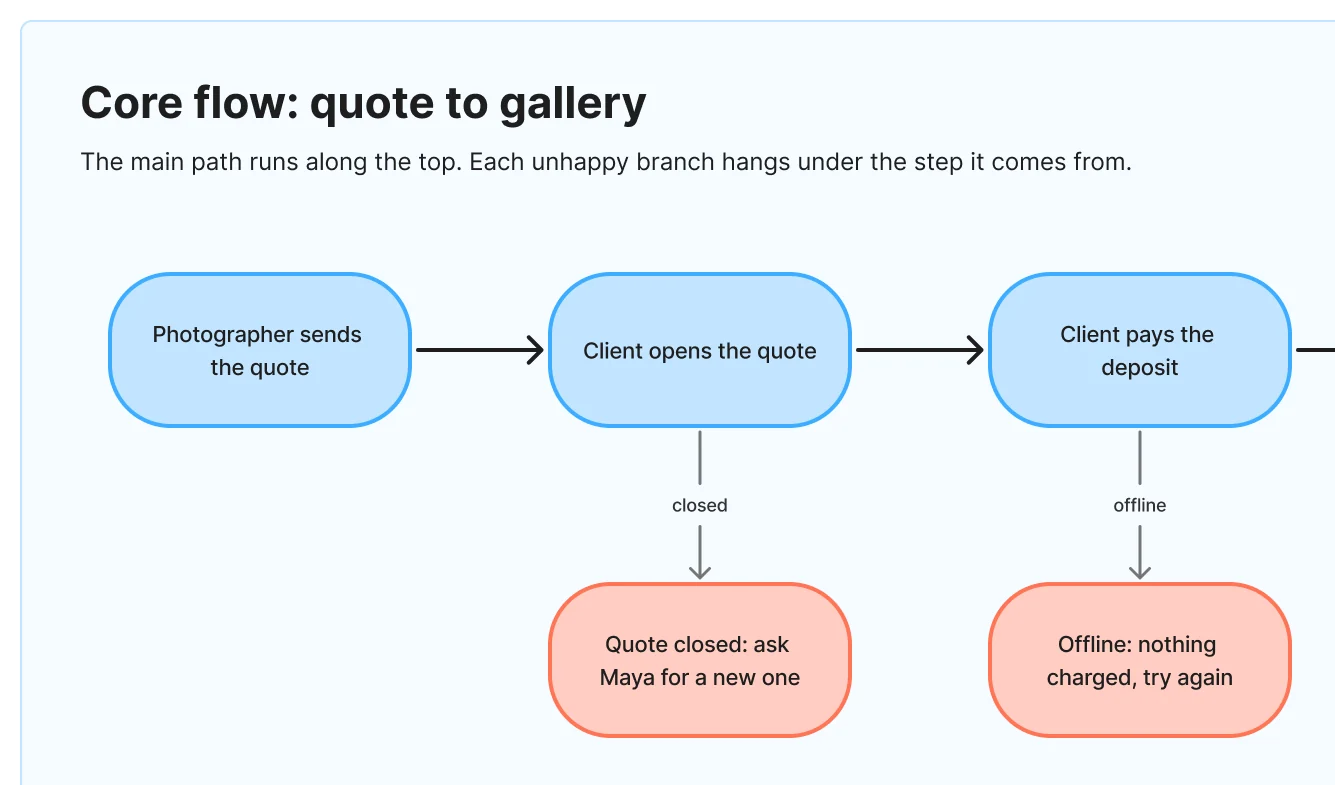
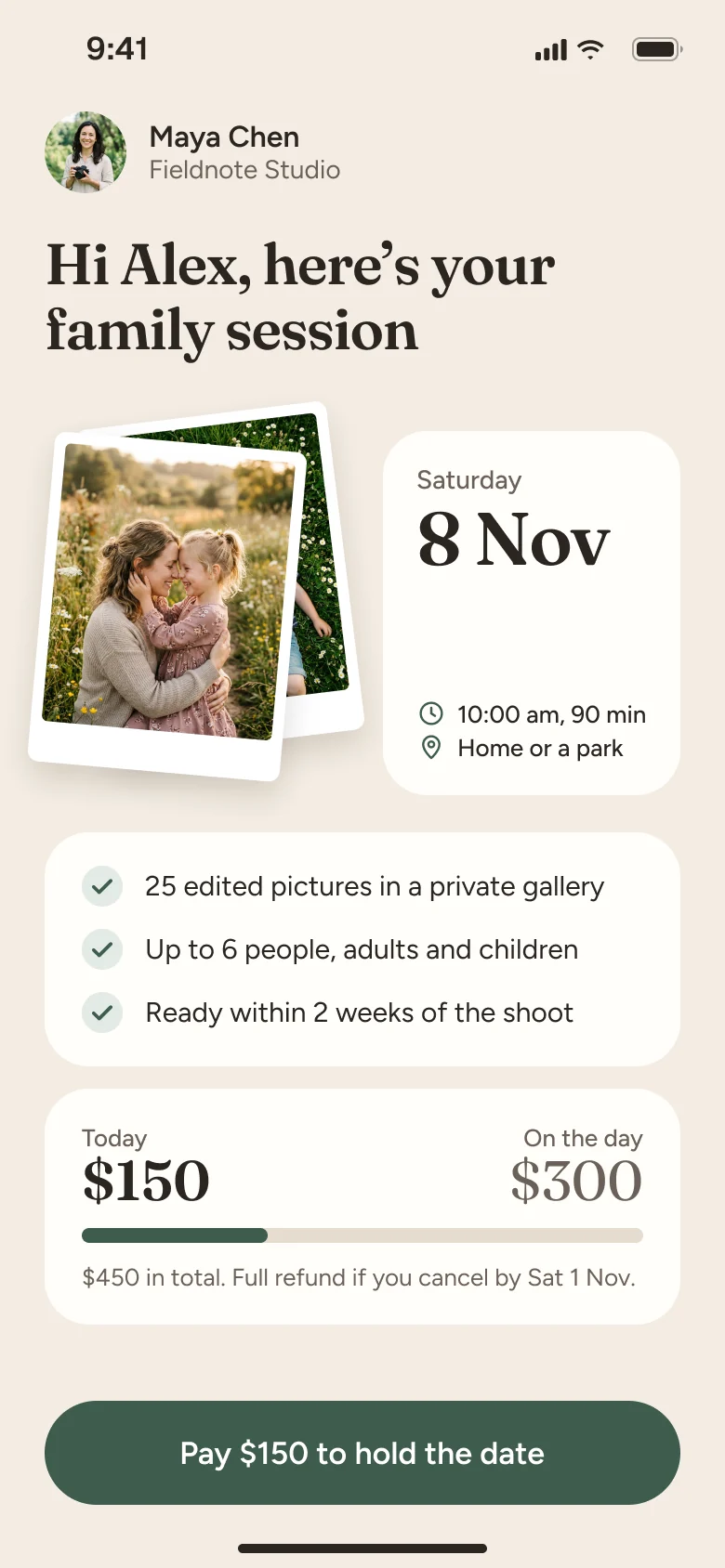
  1. The start of the core flow: photographer sends the quote, client opens the quote, client pays the deposit. Under them hang the unhappy paths: quote closed, ask Maya for a new one; offline, nothing charged, try again.

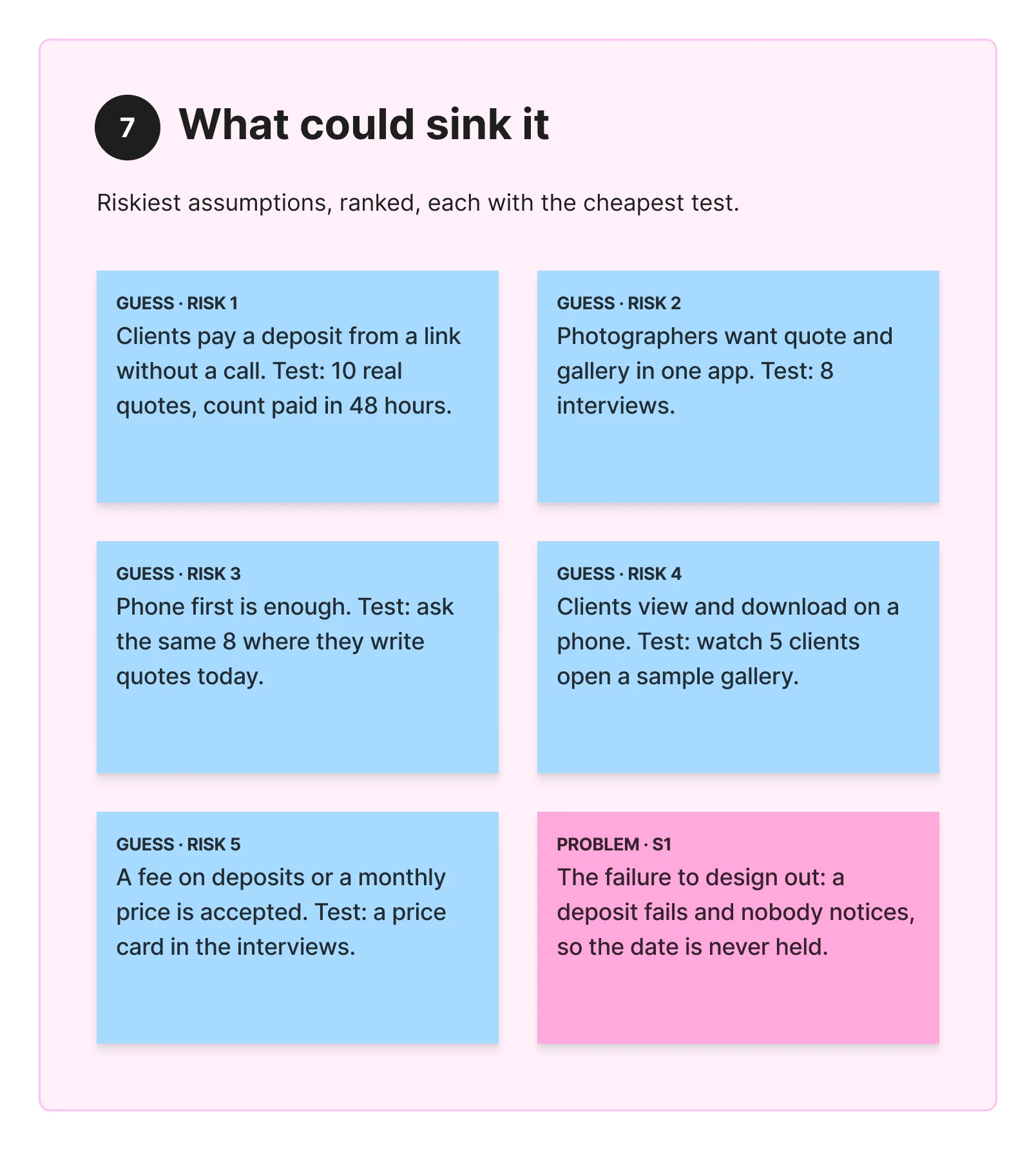
    A plan before a single screen.

    8 sections and 5 ranked risks from a one-line idea, each risk with a cheap test.

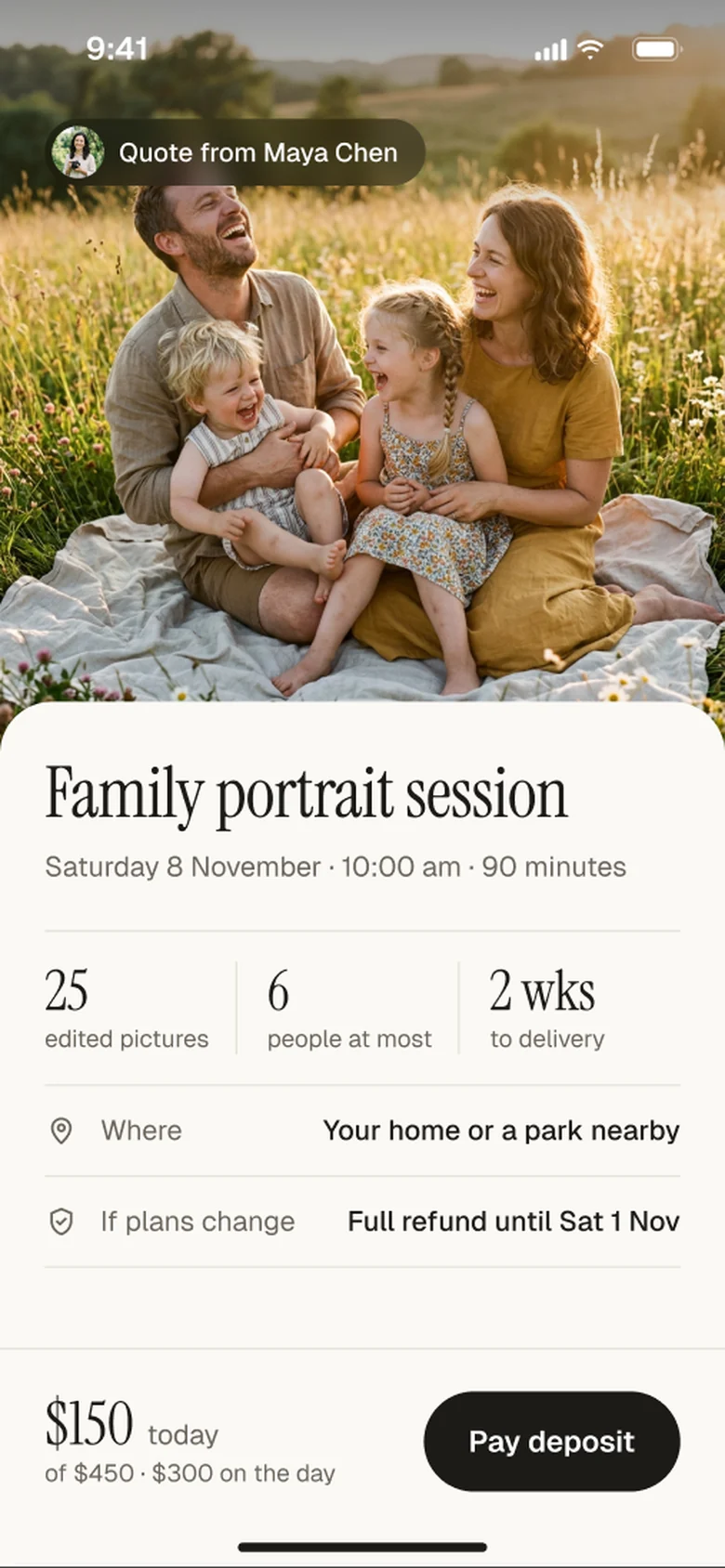
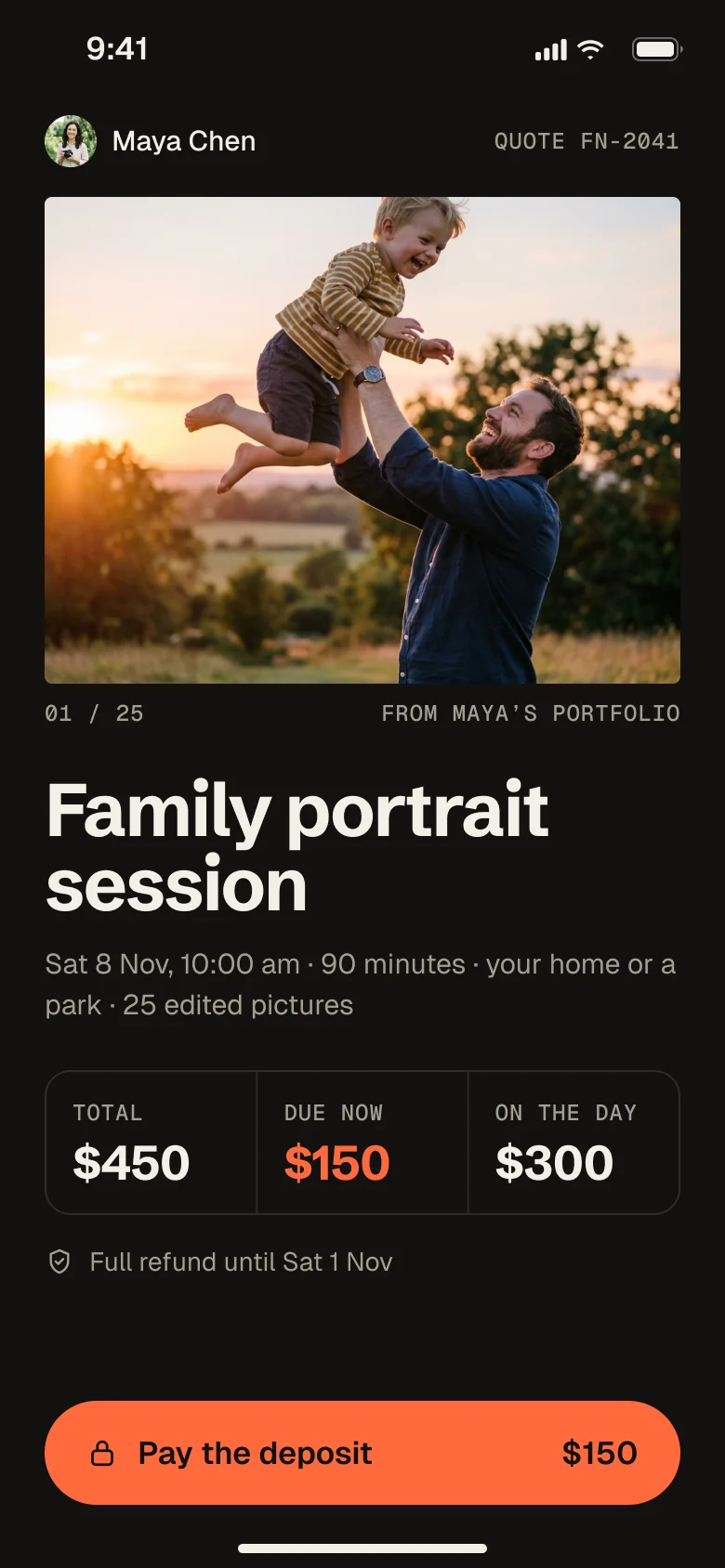
  2. Direction A, Studio journal: a full-bleed family photo, an editorial serif title and a cream sheet with the details.Direction B, Darkroom: warm black, the photo on a dark page, and one orange button to pay the deposit.Direction C, Keepsake: a warm, personal quote with tilted prints, a date card and a green button.

    Three looks, one clear pick.

    Studio journal, Darkroom and Keepsake on the same quote. Darkroom won: warm black, and one orange for what to tap.

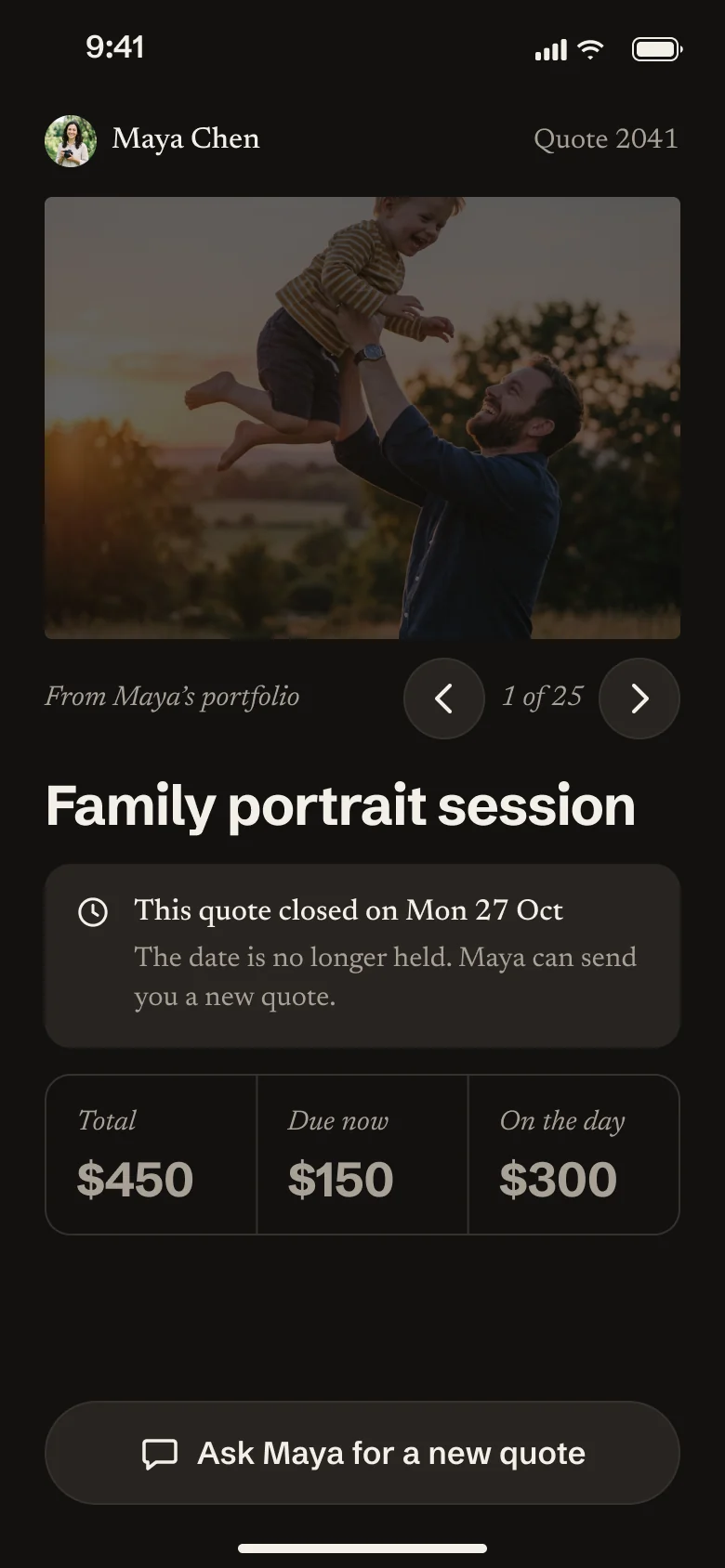
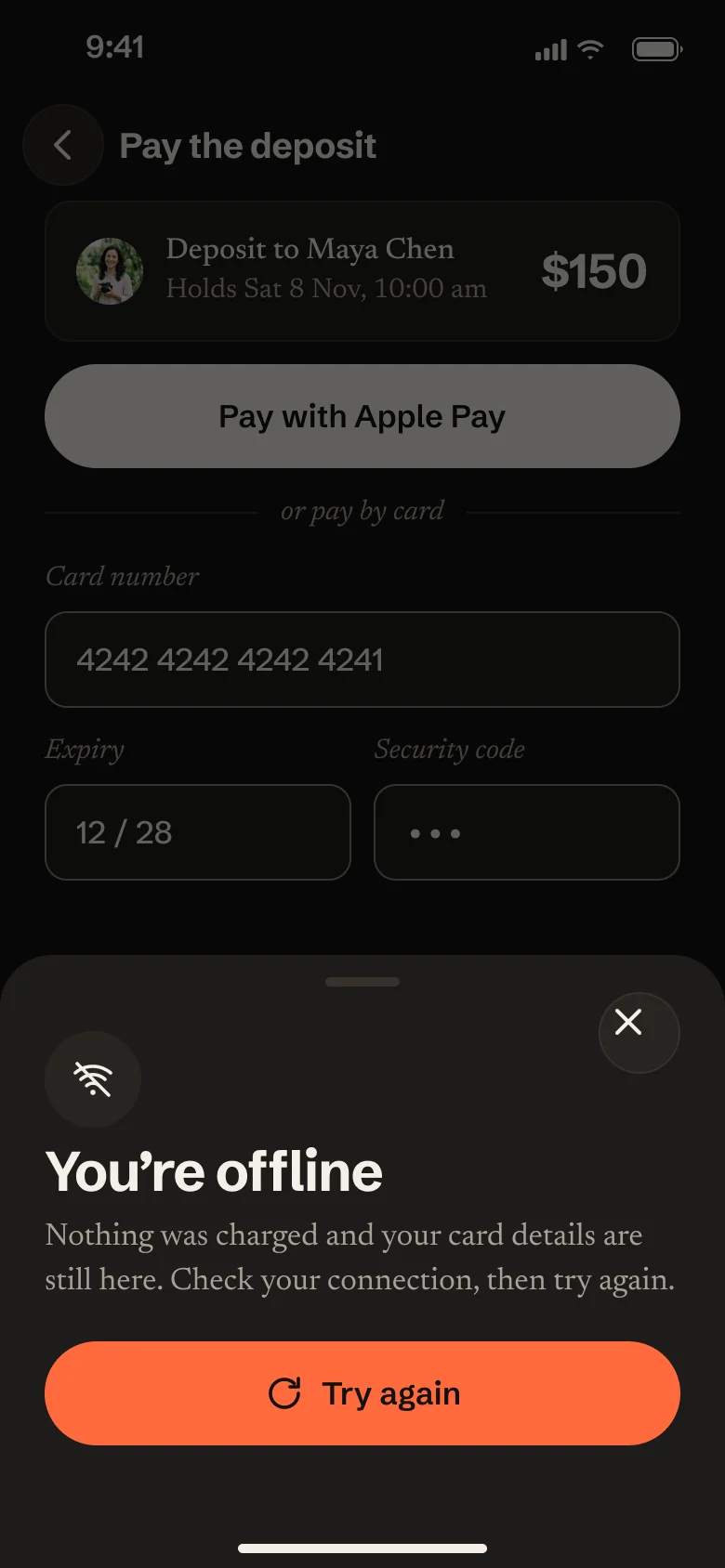
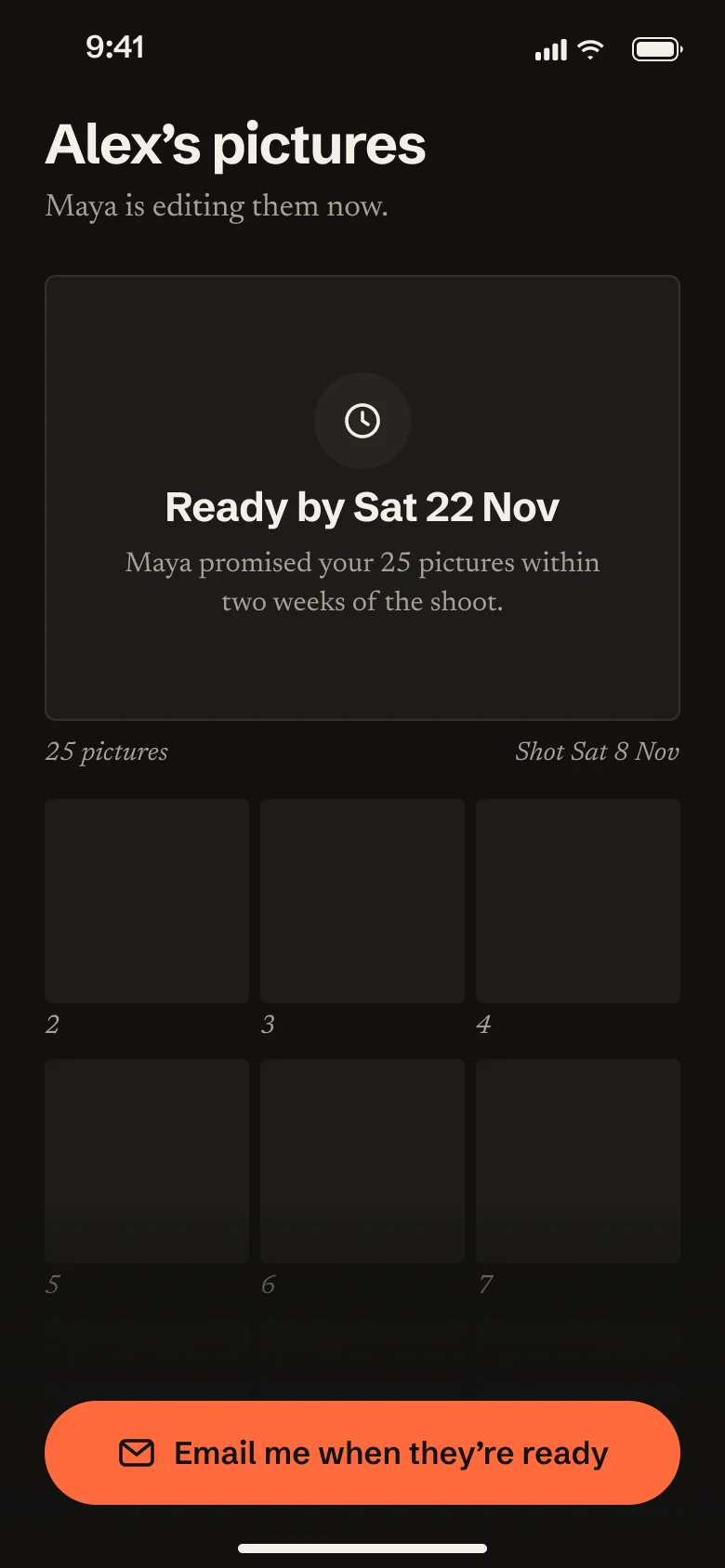
  3. Quote closed: the photo is dimmed, a notice says the quote closed on Mon 27 Oct and the date is no longer held, and the button asks Maya for a new quote.Offline: a sheet over the payment form says nothing was charged and the card details are still there, with a Try again button.Pictures not ready yet: the gallery shows empty tiles and 'Ready by Sat 22 Nov', with a button to be emailed when they are ready.

    Every screen, including the unhappy ones.

    10 screens with 5 unhappy states, such as a closed quote, going offline and pictures not ready yet.

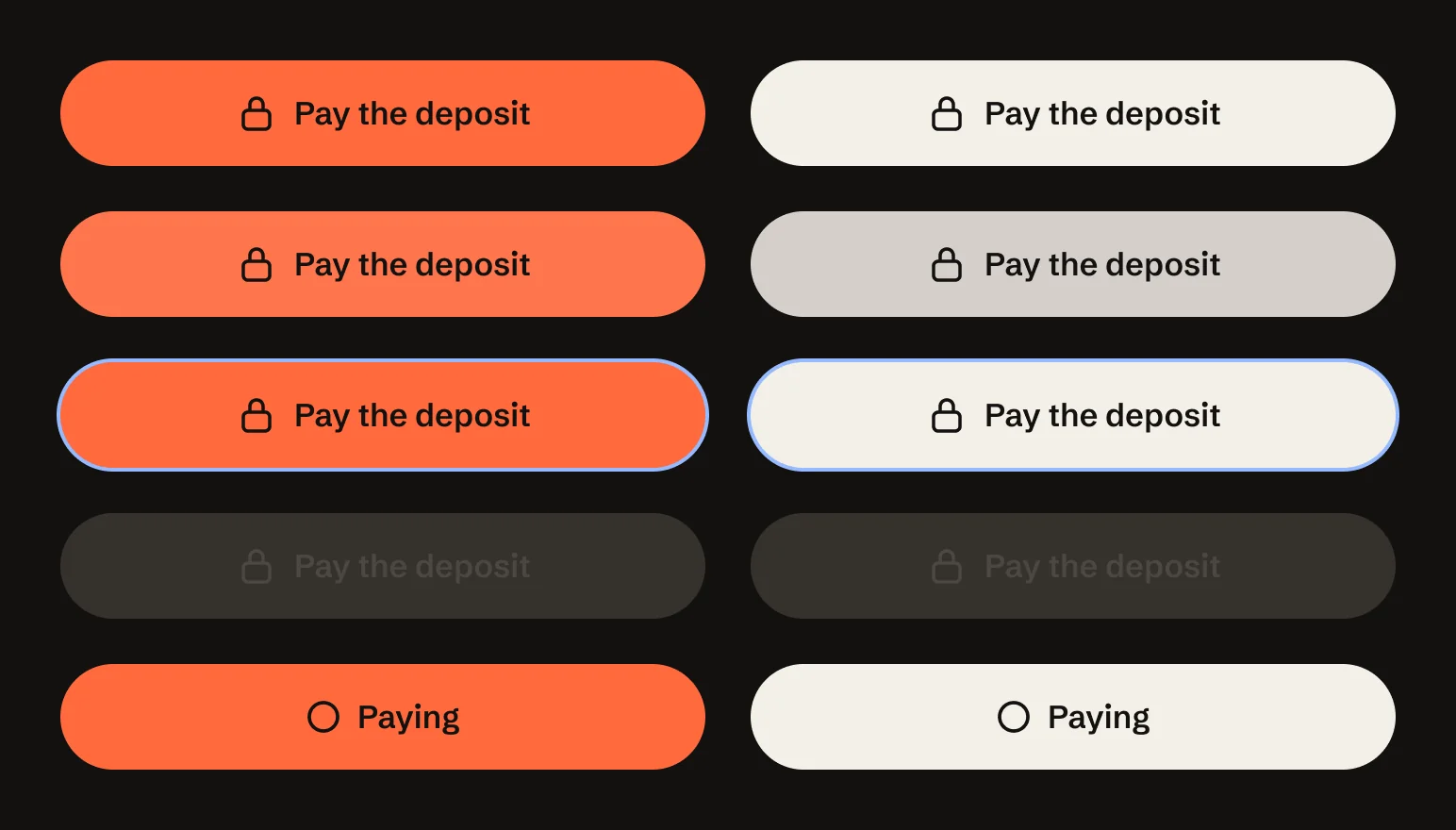
  4. The orange main button and the cream second button, each shown default, pressed, with focus, disabled and loading.

    A design system with the screens.

    10 components in 2 themes, each with its pressed, focus, disabled and loading states.

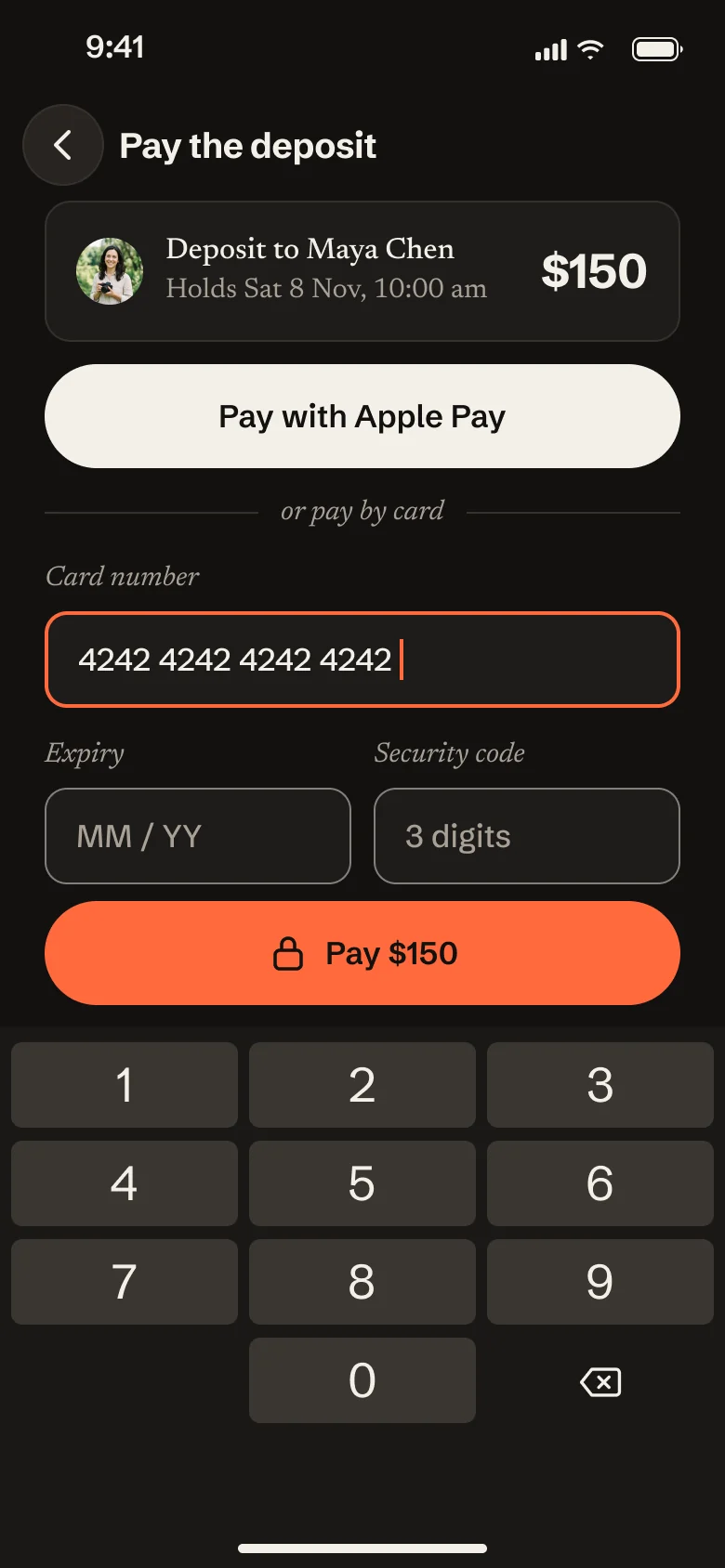
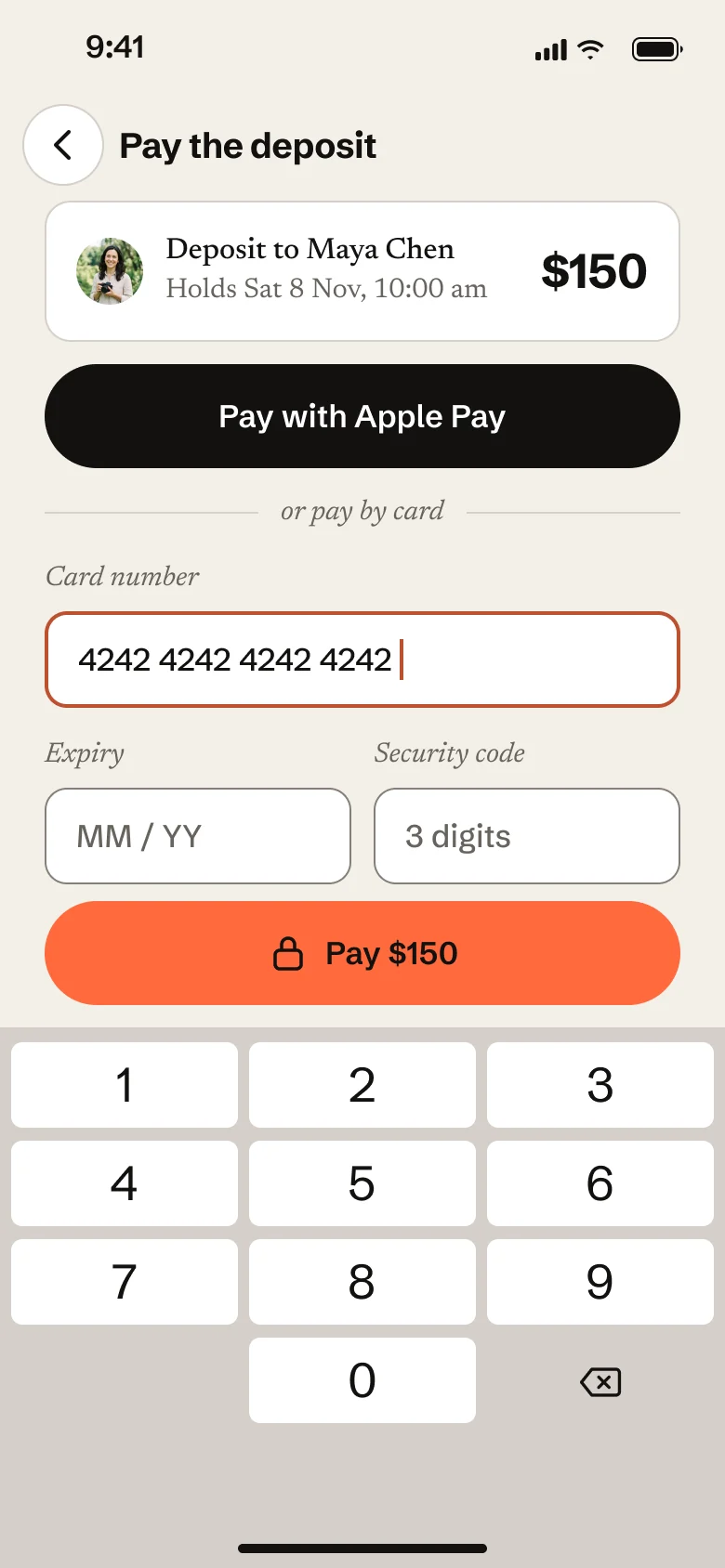
  5. The payment screen in the dark theme, with Apple Pay, the card fields and the orange Pay $150 button.The same payment screen in the light theme, on a warm off-white background.

    A second theme, switched by tokens.

    The same screens with the theme switched, not recoloured by hand: 13 of 13 text pairs pass.

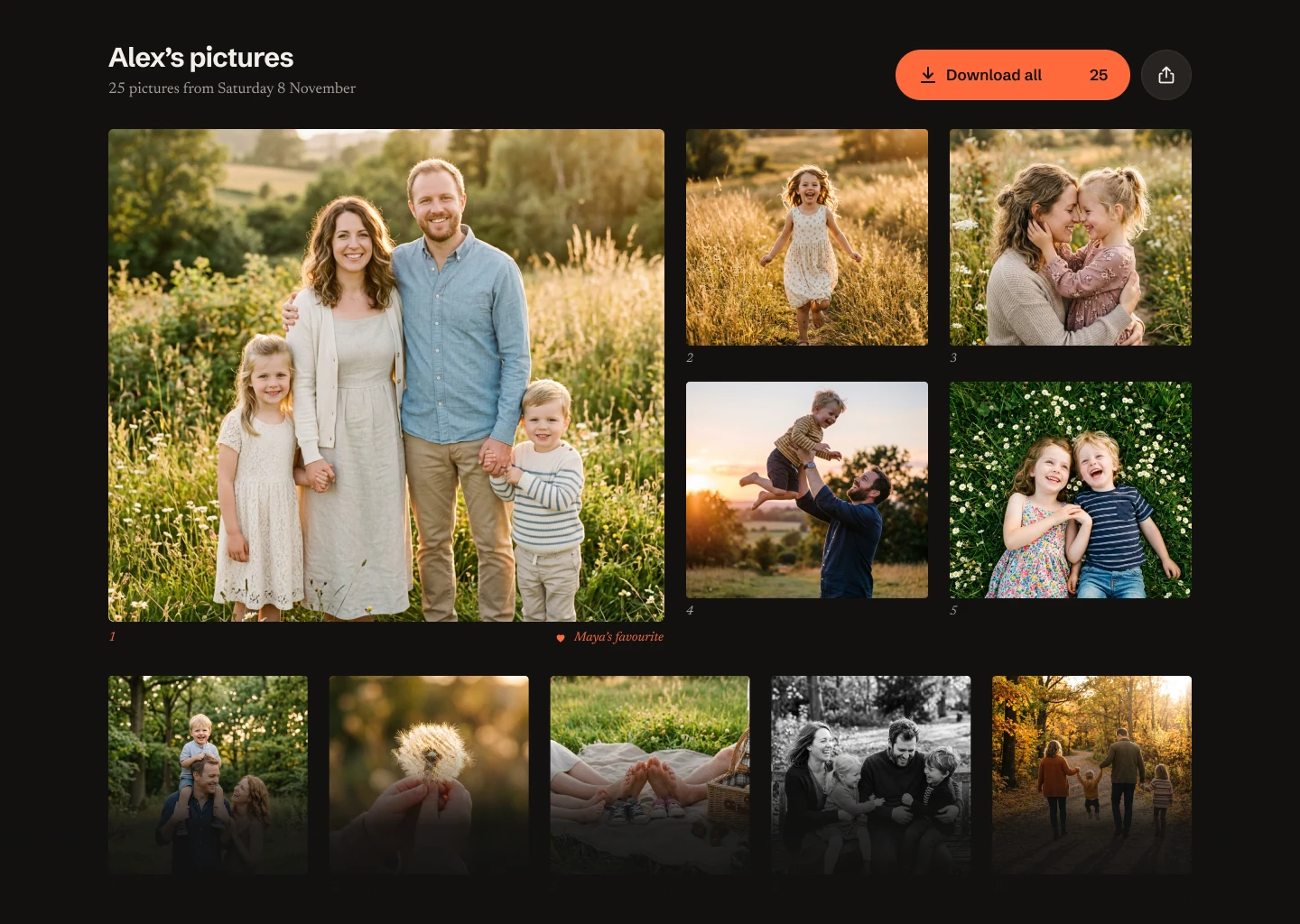
  6. The gallery at desktop width: a large favourite picture, four pictures beside it and a row of five below, with Download all at the top right.

    Tablet and desktop, adapted.

    4 key screens at 3 sizes. On a desktop, the gallery gets a large picture and a grid beside it.

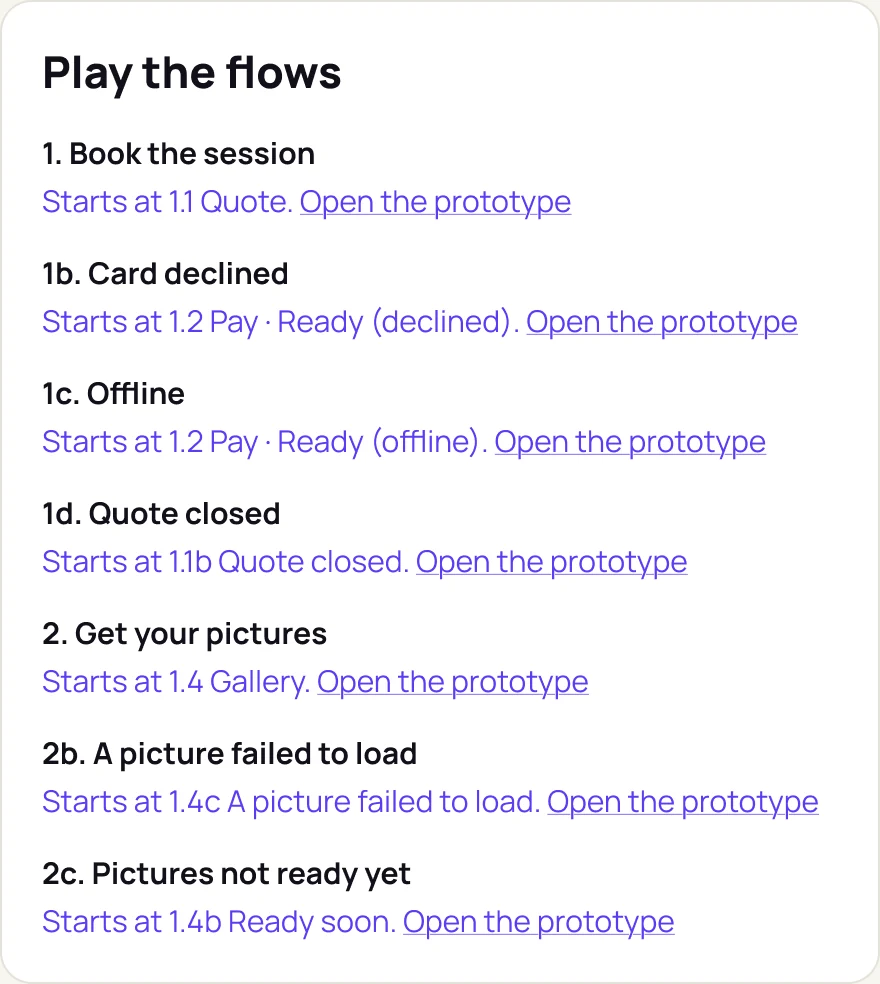
  7. Panel 'Play the flows': book the session, card declined, offline, quote closed, get your pictures, a picture failed to load and pictures not ready yet, each with where it starts and a link to open the prototype.

    A prototype you can play.

    7 flows on a copy of the screens, including a declined card and going offline, with 0 dead ends.

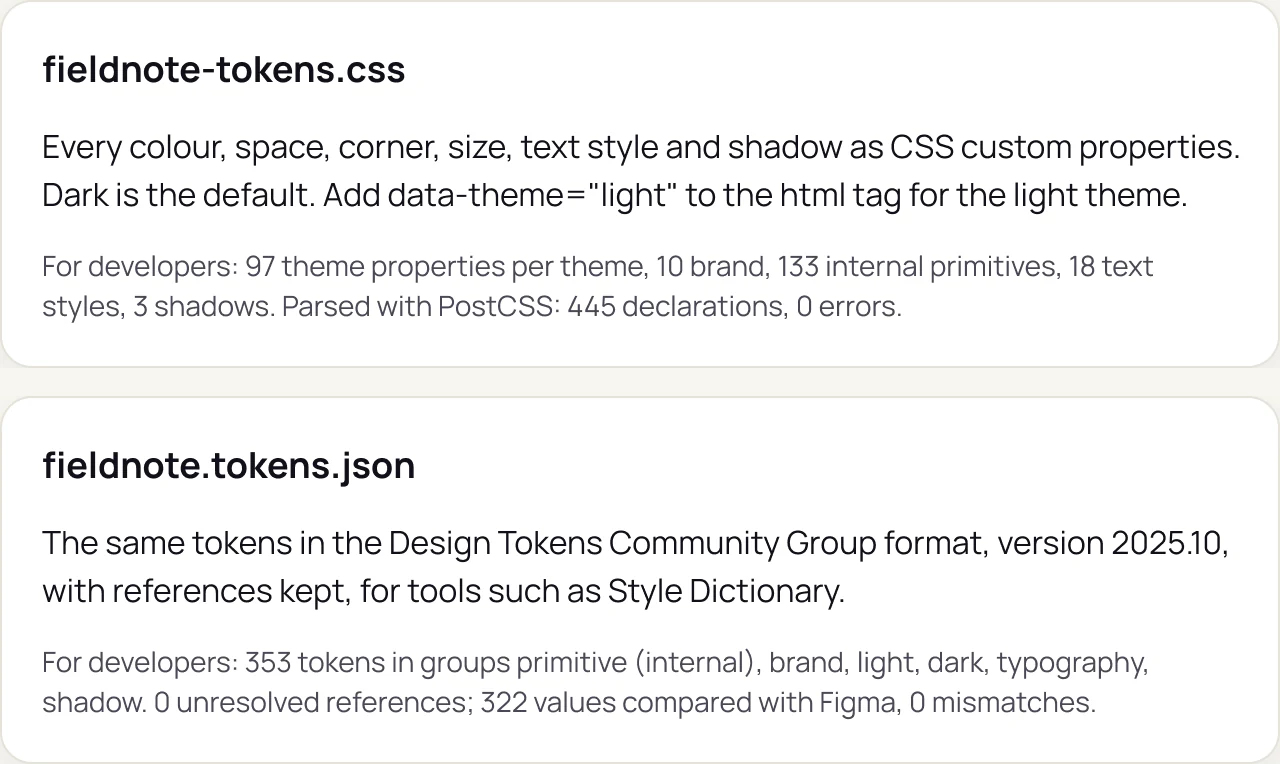
  8. Two file cards: fieldnote-tokens.css, every colour, space, corner, size, text style and shadow as CSS custom properties; and fieldnote.tokens.json, the same tokens in the Design Tokens Community Group format, with 322 values compared with Figma and 0 mismatches.

    Ready for developers.

    A spec card for every screen, and 353 tokens in CSS and JSON with 0 mismatches against Figma.

A demonstration made by Direkta on a made-up product, not a customer result. The photographs are generated, and the names, prices and dates are sample content.

Every command, on every plan.

Plans differ in seats and in how many of the four largest jobs you can run each month: audits, fixes, designs and design systems.

Yearly: two months free

Solo

For one person with one product.

$39a month

Billed monthly

  • 1 seat
  • 3 audits a month
  • 3 fix runs a month
  • 2 design or redesign runs a month
  • 1 design system a month
  • Every other command unlimited
Choose Solo

Studio

For agencies and studios running several client products.

$299a month

Billed monthly

  • 10 seats
  • 50 audits a month
  • 50 fix runs a month
  • 30 design or redesign runs a month
  • 10 design systems a month
  • Every other command unlimited
Choose Studio

Not sure yet? Send us one flow as a Figma link. We run the audit and send you the page within two working days, free. One per company.

Get a free audit

Prices are in US dollars. A seat is one person who signs in with their own email. You also need your own Claude account (Pro or higher recommended; a full audit uses about a fifth of a Claude Pro session) and Figma, billed by Anthropic and Figma. Full refund within 14 days of any plan payment. Refund policy.

Some work needs a person.

User interviews, a second pair of eyes on an audit, screens refined by hand. Our designers do that too.

Audit with a designer

$1,5005 days

Direkta audits up to 10 screens. A senior designer then checks every finding, adds what the checks can't see, and walks your team through the fix list on a 45-minute call. Includes accessibility checks.

Choose this package

Eight interviews

$2,5002 weeks

We write the screener and the interview guide, run eight 45-minute interviews, and turn what we hear into a one-page decision. You bring the people, or we recruit them at cost: usually $100 to $200 a person for consumers, and $150 to $400 for business roles.

Choose this package

First version, ready to build

$4,5002 weeks

For founders with an idea and no designer yet. Direkta plans and designs your first version. A designer then refines up to 10 key screens, each with its main states such as empty, error and loading, and hands them off with tokens and specs.

Choose this package

Something bigger? A brand, a full product or the build: tell us what you need and we'll quote it.

Tell us what you need

Prices are in US dollars. Half at the start, half on delivery. Every package includes one month of Direkta Pro. Package terms.

Get started.

Choose a plan or a service, or start with a free audit of one flow. We aim to reply within one working day.

The free audit: share one flow as a Figma link, with view access and copying allowed. We audit a copy on our side, and within two working days you get a link to the audit page and a PDF of it: every problem ranked, the three to fix first, and what could not be checked. One per company, and your originals are never touched.

On a plan, Direkta runs in your own Claude and Figma:

  1. 1We email you a secure payment link, for card or bank transfer.
  2. 2Add Direkta to Claude. Once it is paid, you get your sign-in invite and a short setup guide.
  3. 3Ask in plain words, for example direkta audit with your Figma link, or a one-line idea for a new product.
  4. 4Review in Figma. Screens and short notes appear beside your originals, and you approve each step.

Questions.

Anything else, email info@direktadesign.com.

What is in the free audit?

The same audit you see on this page, on one flow of up to about ten screens: every problem ranked, the three to fix first, a note for each, and what a design file could not show. Share the file with view access, with copying allowed. We audit a copy, and within two working days send you a link to the audit page and a PDF of it. One free audit per company.

What can Direkta audit?

Any flow in a Figma file: sign-up and onboarding, checkout and payments, booking, dashboards, settings. Phone and web designs both work. Start with the step where people drop off.

What do I need to use Direkta?

Your own Claude account (Pro or higher recommended, because large jobs use a good share of a session), a Figma account with the Figma connector turned on in Claude, and a Direkta plan. Direkta is added to Claude as a connector, and you sign in with your email.

Does my Claude plan cost extra?

Claude and Figma are billed separately by Anthropic and Figma. Direkta runs inside your own Claude, so each job uses part of your Claude allowance. Direkta tells you before each job how large it is.

Which Claude model should I use?

Opus 5.5. In our tests it gave the best results for the session it uses: a full audit takes about a fifth of a Claude Pro session, and a three-screen design run about the same. Fable used far more of the session without better results. Direkta tells you before each job how large it is, so start big jobs when you do not need Claude for anything else for an hour.

What counts towards my monthly limits?

Only the four largest jobs: audits (including live websites), fix runs, design and redesign runs, and new design systems. A job counts when it starts, and limits reset on the 1st of each month. If you reach one, everything else keeps working, and you can email us for a few more.

What is a seat?

One person who signs in to Direkta with their own email. Solo has 1 seat, Pro 3 and Studio 10. Everyone on a plan shares its monthly limits.

What is the founding price?

Pro for $69 a month, or $690 a year, for our first 50 customers. The price stays the same for as long as your subscription continues without a break. When the places are taken, the offer closes.

How do I pay?

We email you a secure payment link for card or bank transfer. Monthly plans get an invoice each month, yearly plans once a year. Nothing renews without an invoice you can see first.

Can I cancel or get a refund?

You can cancel at any time by email, and you keep access until the end of the period you paid for. Ask within 14 days of any plan payment and we refund it in full, with no questions asked. Design packages have their own terms: a full refund if you cancel before the work starts.

Does Direkta change my designs or keep them?

It never edits or deletes your original screens: its work is built beside them, after you approve the plan. It keeps a short record of each job for 90 days, such as the command and check results, and never stores your screens or images. See the privacy policy.

How is this different from design agents inside other tools?

Direkta works in the Figma file you already have, with your own components and tokens. It gives you a Head of Design's judgement, with the reason for every decision and a list of what it could not check, rather than another way to generate screens.

I already have Claude Design. Why Direkta?

Claude Design is good at new visuals from a prompt. Direkta works in the Figma file you already have, with your own components and tokens. It plans before it designs, audits with measured checks, fixes problems at the root, and tells you what it could not check. You can use both.
Start with one flow.

Your first audit is free. Every command is included, on every plan.